Implementation
HubSpot lead scoring your sales team will actually believe
Separate fit from engagement, subtract points, let them decay and agree the threshold with sales: that is how you build HubSpot lead scoring someone actually uses.
HubSpot lead scoring wins sales over when it is built with them: separating the fit score (who they are) from the engagement score (what they have done), subtracting points for anyone who is not a potential customer and letting points decay. According to HubSpot's documentation, its lead scoring tool supports all of that in Marketing Hub and Sales Hub Professional or Enterprise.
This guide explains how to design the model, how to translate it into the tool and how to check that it works.
Why sales ignores most lead scoring
The pattern is familiar. Marketing builds a model that adds points for every email opened and every visit, the number grows, the contact becomes an MQL and sales discovers it is a student, a competitor or someone who downloaded a guide a year ago. After five leads like that, the rep stops looking at the score.
There are three underlying faults: mixing profile and behaviour into a single number, never subtracting points and setting the threshold without asking sales what it considers a lead worth calling.
Start with a conversation with sales
Before opening HubSpot, get two or three sales reps together with whoever runs marketing. Pull a list of the most recent won customers and of the leads sales disqualified, and answer these questions together:
- What do the customers who closed have in common? Industry, size, job title, country, tools they use.
- What did they do before speaking to sales? Requested a demo, visited the pricing page, came to an event.
- Which profile do we not want, however much it engages? Students, competitors, suppliers, countries where you do not sell.
- Which single action deserves a call today? Usually requesting a demo or a quote. That one does not need scoring: it goes straight to sales.
The result is a table of criteria with points that sales has seen and approved. That approval is worth more than any later fine-tuning.
Fit and engagement: two scores, not one
The tool distinguishes three types of score. The fit score uses property values such as job title, company size or industry. The engagement score uses actions: visits, clicks, form submissions, email opens. The combined score uses both and creates three properties on the record: the total score, the engagement score and the fit score.
Which objects you can score depends on your subscription: contacts with Marketing Hub, companies with Marketing Hub or Sales Hub, and deals with Sales Hub (in this case, only with a combined score). AI-built scores for contacts require Marketing Hub Enterprise and a minimum sample of converted and non-converted contacts.
How to set it up in HubSpot's tool
Each score is organised into criteria groups, and the sum of the groups gives the total score. What we use most:
- Score limit and group limit. The first sets the maximum; the second stops a single type of signal, such as website visits, from dominating everything. It is how you give more weight to asking for pricing than to reading the blog.
- Negative points. Subtract for a personal email address, a student job title, a country outside your market or visits to the careers page. Without subtractions, every contact eventually becomes an MQL.
- Score decay. In event groups, points can decay linearly over 1, 3, 6 or 12 months. A pricing page visit from a year ago should not weigh as much as one from yesterday.
- Inclusion and exclusion lists, so you do not score current customers, partners or employees.
In combined scores, HubSpot assigns a threshold label from A1 to C3: the letter shows fit (A high, C low) and the number shows engagement (1 high, 3 low). You define the ranges. That matrix is far more useful to sales than a bare number:
| Fit / engagement | High (1) | Medium (2) | Low (3) |
|---|---|---|---|
| High (A) | To sales today | To sales or to prospecting | Active prospecting |
| Medium (B) | Prospecting qualifies | Nurturing | Nurturing |
| Low (C) | Check: competitor or student? | No action | No action |
Score the account, not just the person
In B2B sales, it is rare for a single person to buy. The most active contact may be a technical specialist who reads the whole blog, while the decision-maker has never engaged at all. If you only score contacts, that pattern slips past you.
The answer is to create a company score as well: fit based on industry, size or country, and engagement based on the activity recorded on the account. Before defining the criteria, check in your portal which events company scoring supports. An account with three different people visiting pricing and case studies in the same week is a much stronger signal than an isolated contact with lots of visits. For it to work, contacts have to be properly associated with their company, so review automatic association by domain and orphaned contacts first.
From number to action: the handover to sales
A score nobody turns into a task is useless. The handover is automated with a workflow that triggers when the threshold label changes to one of the agreed values (for example A1, A2 or B1) and does three things: it sets the lifecycle stage to MQL, assigns an owner and creates the lead or task in the sales workspace.
- 01Fit and engagement criteria
- 02Agreed threshold reached
- 03Lifecycle stage set to MQL
- 04Lead assigned with a task
- 05Sales qualifies or disqualifies
That last step matters as much as the others. If sales disqualifies a lead, it should record the reason in a dropdown: not a decision-maker, no budget, outside our market, already a customer. Those reasons are the raw material for adjusting the criteria.
How do you know whether your lead scoring works?
Review the model a month after switching it on and then every quarter with these reports:
- MQL-to-opportunity conversion by threshold label. If B1s convert as well as A1s, fit is not discriminating.
- Sales disqualification reasons. If "not a decision-maker" keeps coming up, increase the weight of job title or subtract for titles that do not decide.
- Won customers who never crossed the threshold. They point to behaviour the model is not capturing.
- Time from MQL to first contact. If it is long, the problem is not the scoring, it is the handover.
Before switching it on, the tool lets you check how specific records score. Test with ten won customers and ten disqualified leads: if they do not end up at opposite ends of the matrix, adjust before publishing.
Mistakes worth avoiding
- Giving a lot of weight to email opens: with the privacy protection in some email clients, a share of opens are not real.
- Giving points for fields almost nobody fills in; fit ends up depending on how long the form is.
- Changing the model every week, so nobody can compare results.
- Scoring people who have already asked to speak to sales. Those leads go straight through.
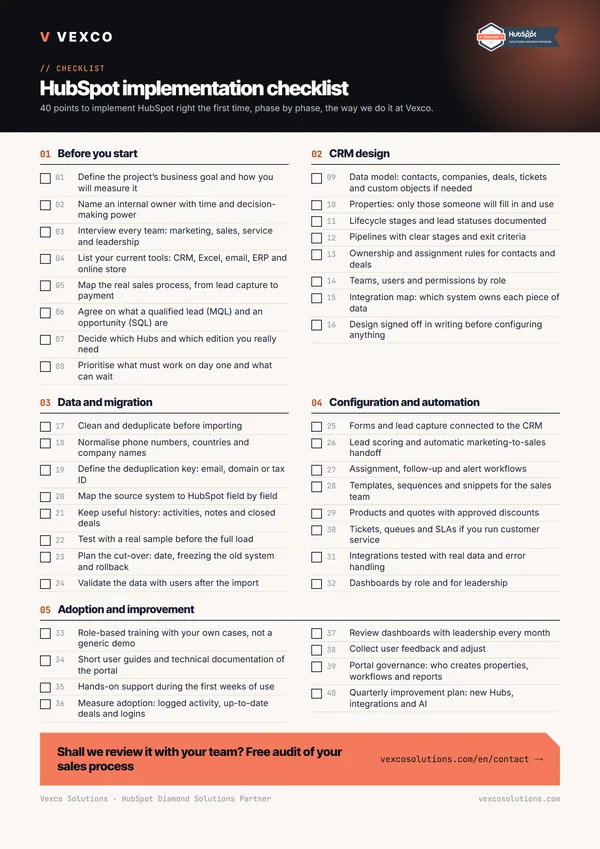
Lead scoring works best on top of a tidy lifecycle and well-defined properties. If yours are not, start by aligning marketing and sales on shared definitions and reviewing the basics in the Sales Hub implementation checklist. At Vexco we configure it as part of a HubSpot implementation or within RevOps support, always with the sales reps in the room.