Integrations
Holded HubSpot integration: Marketplace app, Zapier or custom?
Three ways to connect Holded and HubSpot, compared on concrete criteria, plus the questions worth asking before you install any app.
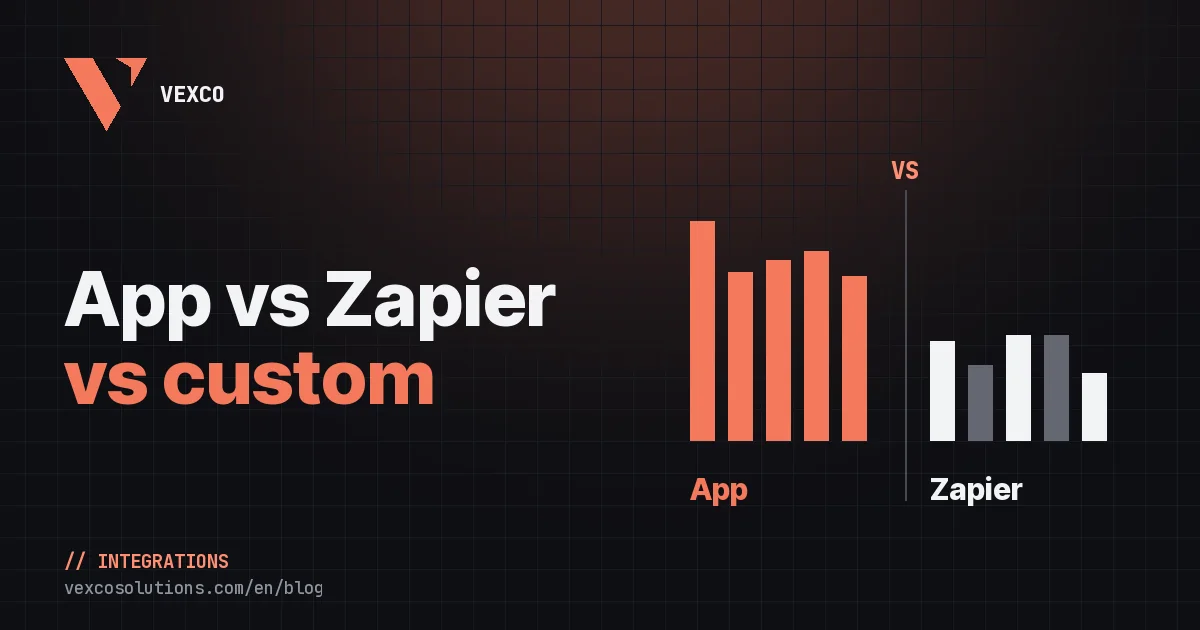
To connect Holded and HubSpot you have three options: install an app from the HubSpot Marketplace, build flows on an automation platform such as Zapier or Make, or commission a custom integration on top of both APIs. If your team sells in HubSpot and invoices in Holded, a Marketplace app is usually the fastest starting point; Zapier or Make suit one or two simple flows, and a custom build suits processes no app covers.
Holded is the cloud invoicing and ERP software many Spanish SMEs run on, so this question comes up a lot for companies with a Spanish entity or finance team. Below we compare the three options on concrete criteria, list the questions to ask before choosing, and explain how to test any app without putting your data at risk.
What are the options for connecting Holded and HubSpot?
- Marketplace app
- Zapier
- Make
- Custom integration
A HubSpot Marketplace app
You install it from its Marketplace listing, approve the permissions in HubSpot, paste your Holded API key and choose what to sync. The vendor maintains it and keeps up with API changes. There is more than one Holded app on the Marketplace, published by different partners; what sets them apart is which objects they cover, in which direction, how they prevent duplicates and what they do when something fails.
Zapier or Make
Holded has connectors on both platforms. They work with a trigger and a series of actions: when something happens in HubSpot, do this in Holded, or the other way round. They’re a good fit for a one-off flow, such as creating the customer in Holded when a deal reaches a given stage. The trouble starts as you grow: every flow is designed by hand, two-way sync needs flows that don’t overwrite each other and, unless you add search steps, it’s easy to end up with duplicate customers.
A custom integration
It’s built on the HubSpot and Holded APIs around your specific process. There are no limits on logic or objects, but it needs upfront analysis, testing with real data and someone to maintain it. It makes sense when your process doesn’t look like anyone else’s.
Comparison: app, Zapier or Make, or custom build
| Criterion | Marketplace app | Zapier or Make | Custom |
|---|---|---|---|
| Getting started | Quick, guided by the app itself | Quick for one flow; slow for many | Weeks, with analysis and testing |
| Sync direction | Usually both ways | One flow per direction | Whatever you design |
| Duplicates | Matching built in (depends on the app) | Depends on how you build each flow | By design |
| Documents and payments | Whatever the app covers | Single actions, no view of the balance | Any rule |
| Errors and logging | The app’s log and retries | Run history | Whatever is built |
| Maintenance | The vendor’s | Yours, flow by flow | Yours or your partner’s |
There’s no best option in the abstract. A shop that only wants to create the customer in Holded when a deal is won can live with a Zap. A company that needs documents, invoices, payments and balances flowing both ways will end up fighting ten chained flows, and that’s where an app or a purpose-built integration saves months of patching.
Questions to ask before installing a Holded app
Marketplace listings tend to look alike. These questions separate an app that handles the whole cycle from one that just copies contacts:
- Which objects does it sync, and in which direction? Companies, contacts, products, estimates, orders, invoices, payments. “Syncs” alone doesn’t tell you whether data goes from Holded to HubSpot, the other way or both.
- How does it match records? Matching on tax ID (the Spanish NIF) and email is reliable; matching on names is not. Also ask what it does with unclear cases.
- Where is the invoice created? The invoice should be issued in the invoicing software, with its own numbering series, especially under Spain’s Verifactu rules. An app that generates it in HubSpot and “copies” it to Holded makes life harder.
- Can sales see what each customer owes? Outstanding and overdue balance and payment status on the record, not just the PDF.
- Can you test it safely? Read-only mode, a simulation of the initial load, a sample before loading everything.
- What happens when something fails? An activity log, retries, alerts and an explanation the finance team can understand, not just the developers.
- Where is the data stored, and what happens when you uninstall? Hosting, credential encryption and data deletion.
- Who provides support, and in which language? With Spanish invoices involved, it helps to have someone who knows Spanish tax rules.
Holded by Vexco: the app we built
After building custom Holded and HubSpot integrations for very different companies, we published our own app on the HubSpot Marketplace: Holded by Vexco. It syncs companies, contacts and suppliers both ways, matching on tax ID and email, brings products, variants and per-warehouse stock into HubSpot, and creates the estimate, proforma, order or invoice in Holded from the deal, with its line items, taxes and numbering series.
- 01Deal with line items in HubSpot
- 02Document created in Holded
- 03Invoice issued with its series
- 04Number and PDF back in HubSpot
- 05Payment and balance updated
Holded invoices, credit notes and payments come back to HubSpot linked to the company and the deal, and every record shows what’s outstanding and overdue. On top of that there are cards on deals, companies, contacts and products, 21 workflow actions, conditional rules to pick the numbering series, payment method or treasury account based on the pipeline or any property, and an activity log with the before and after of every change. You’ll find the full walkthrough in how the app works and every detail on the Holded by Vexco website.
When is a custom integration still worth it?
An app handles the standard cycle. Some processes aren’t standard, and we see them often in our projects:
- Custom objects: a law firm with 5 legal entities that records payments by Stripe, Redsys, bank transfer and cash in a payments object and posts them to the right entity’s cash account in Holded.
- More systems in the loop: SEPA direct debits with a Stripe mandate, an online shop or a portal that also feeds HubSpot.
- Your own business logic: prepaid bundles that renew automatically below a threshold, or milestone billing with rules that don’t fit a configuration screen.
The two aren’t mutually exclusive. The most efficient route is often to use the app for the standard part and build only what’s missing. You can see an example in our HubSpot ↔ Holded invoicing case study and what a project includes on our HubSpot integrations page.
How to test an app without risking your data
Whichever app you choose, don’t switch on two-way sync on day one. This is the order we recommend:
- 01Install and connect Holded
- 02Start in read-only mode
- 03Check for duplicates
- 04Load a sample
- 05Switch on both directions
Before loading anything, check the tax details of your companies in HubSpot and your product SKUs: most duplicates come from there, not from the tool. We go into more detail in how to clean your data before a CRM migration, and the same criteria apply to a first sync.